Skip to content
Soundgun Steam · $9.99
Out now on Steam Windows · $9.99

Play your own audio into your microphone.

Hold a button, pick a sound, let go. Everyone in the call hears it. You do not have to change anything in Discord — Soundgun uses the mic you already use.
The app Windows 11
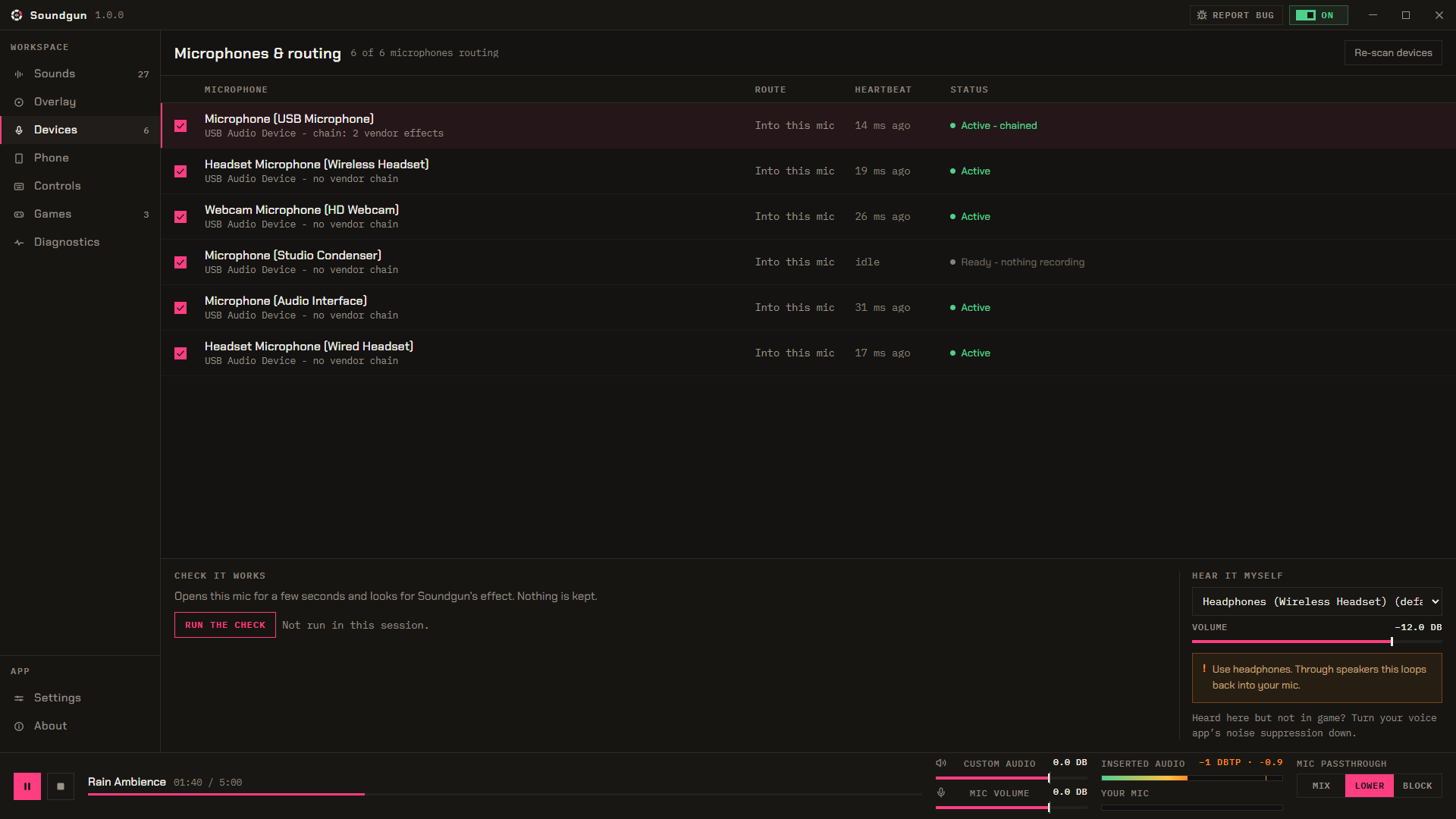
Soundgun's Devices page: six microphones, each with Soundgun's sounds routed into it

Soundgun screen by screen

Screen by screen
01 / SOUNDS

The library

Drag your sound files in. Or pick a folder, and new files show up on their own. Cut, fade and set the volume on each sound.

MP3 · WAV · FLAC · OGG · OPUS · M4A · WMA
02 / LAYOUT

The layout editor

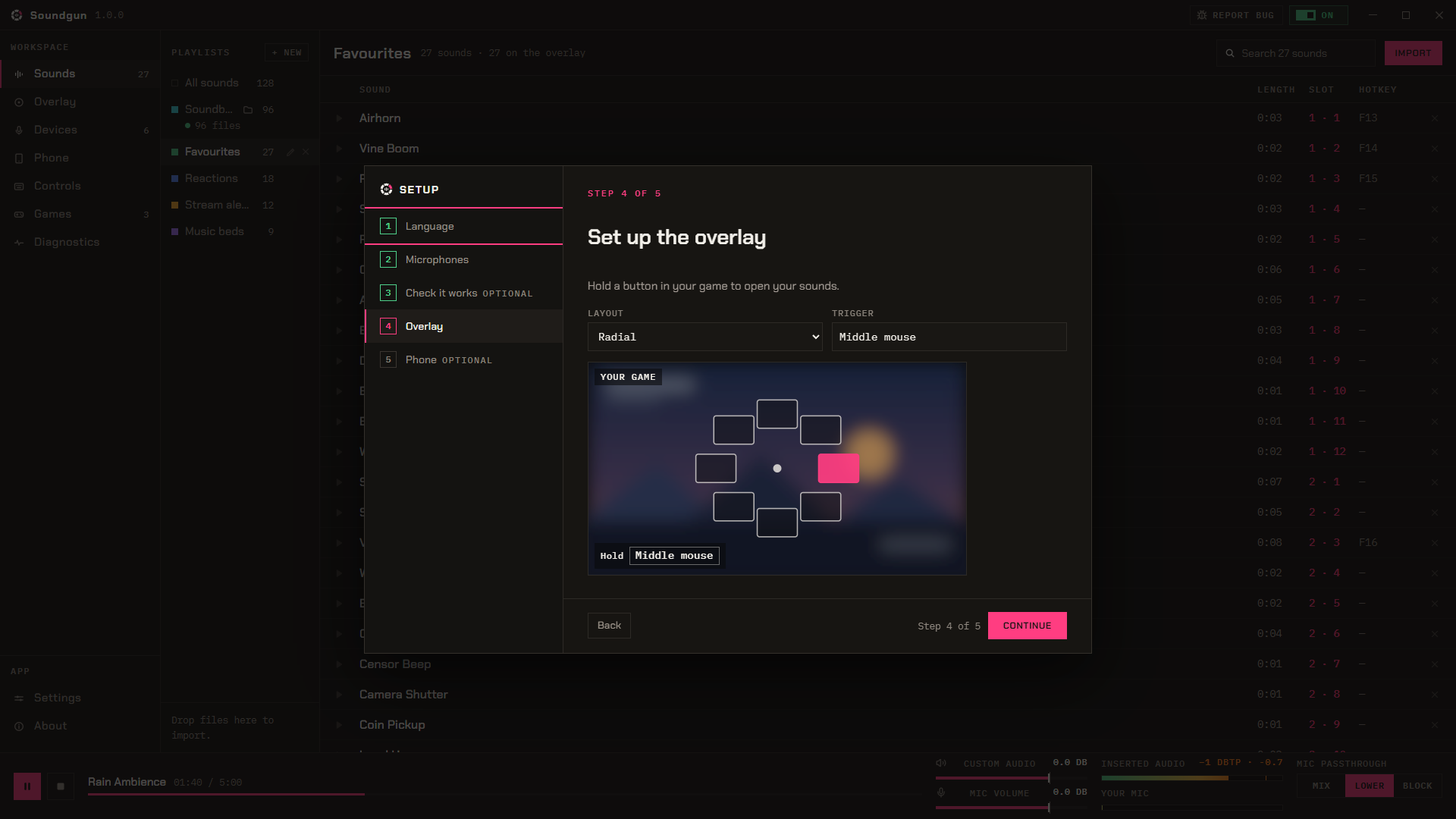
Lay out your pages here. Put 4 to 16 sounds on a wheel, or up to 24 in a grid. Q and E switch pages in game.

QESOUNDS STAY WHERE YOU PUT THEM
03 / IN GAME

Hold, hover, release

Hold the button and the wheel shows up. Let go and it is gone. Nothing covers your game the rest of the time.
Middle mouseDEFAULT TRIGGER
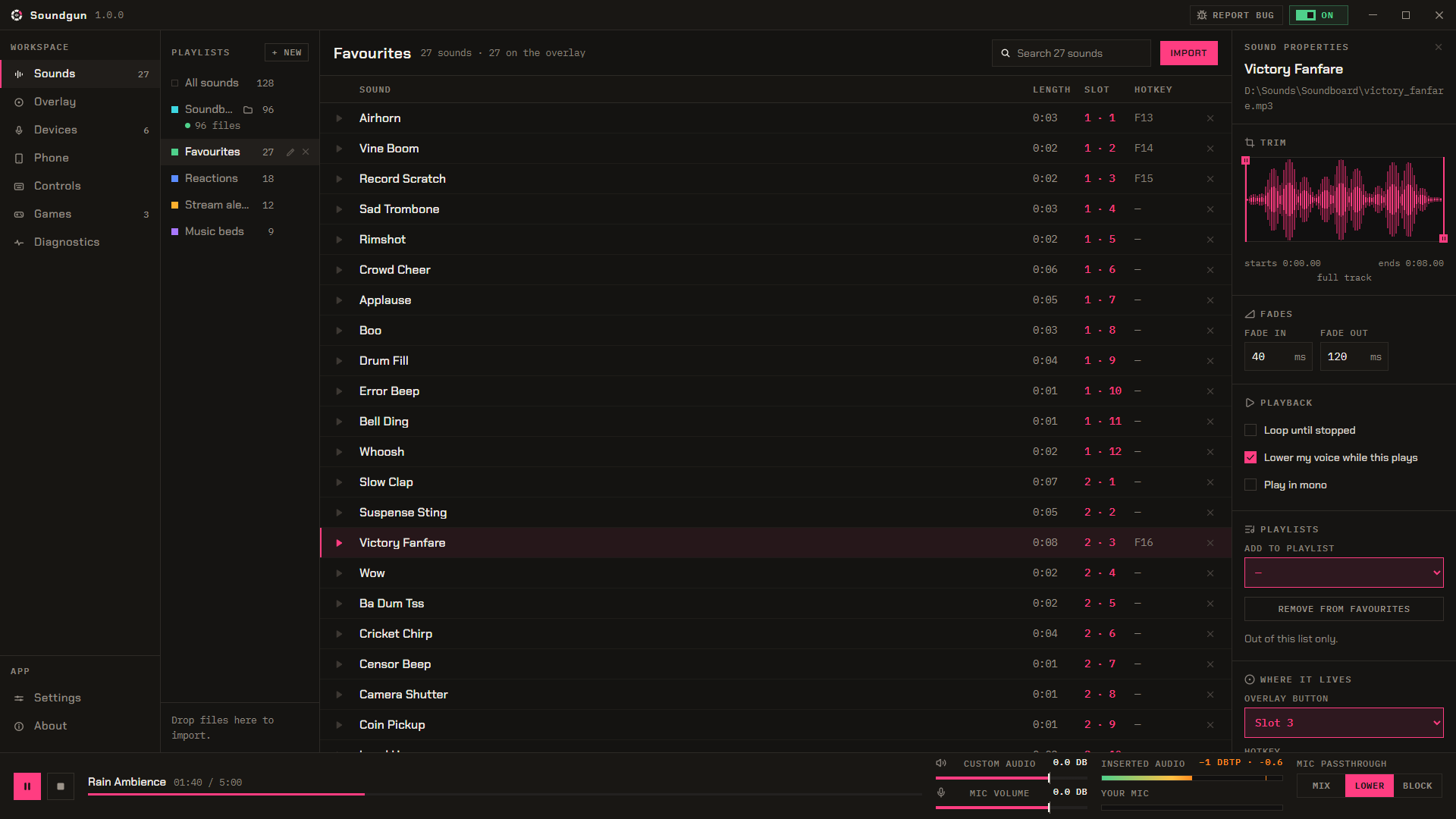
Soundgun's Sounds page: a playlist with each sound's length, slot and hotkey, and one sound's trim and fades
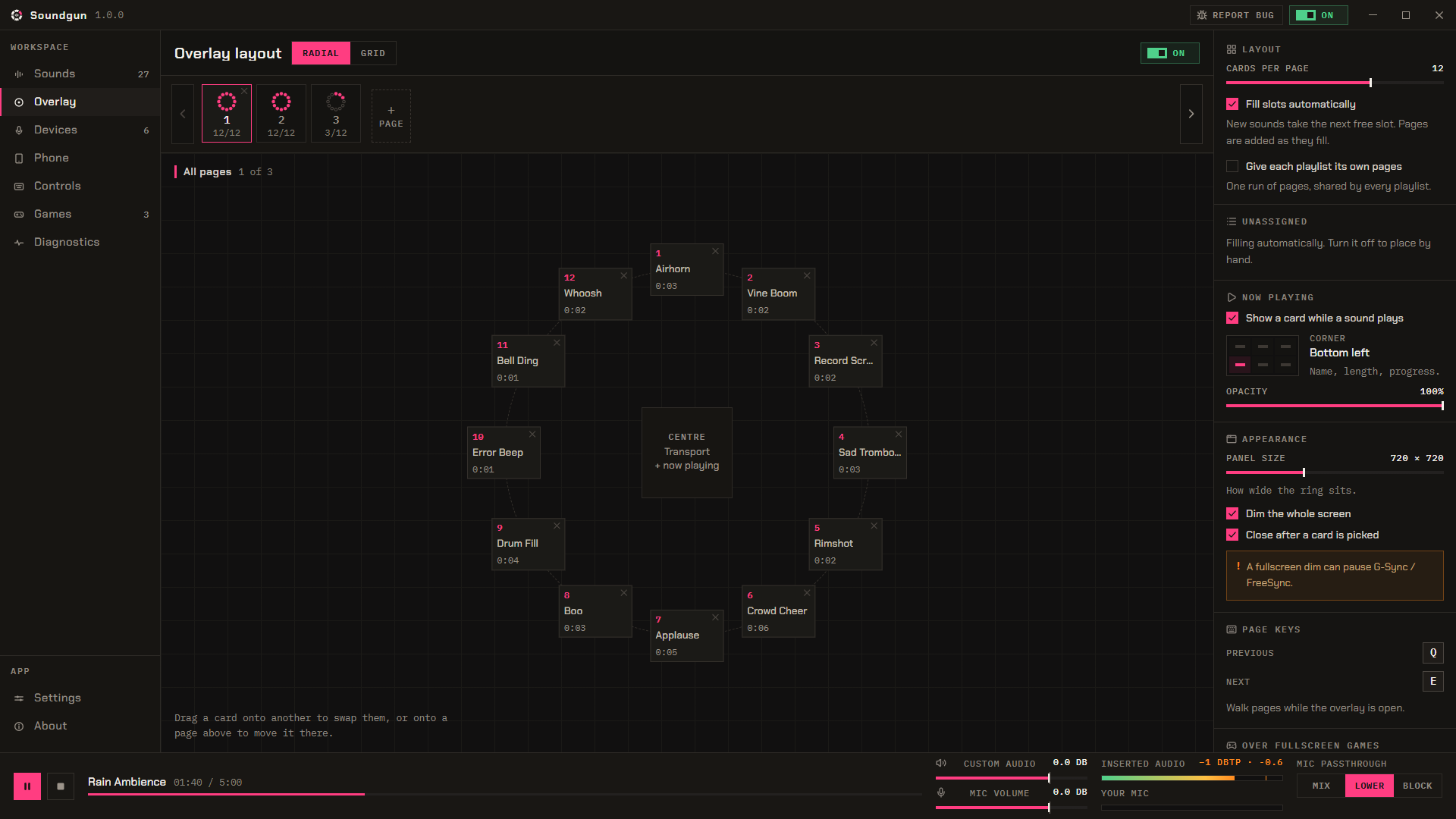
Soundgun's overlay layout editor: twelve sounds placed on the wheel, the first of three pages
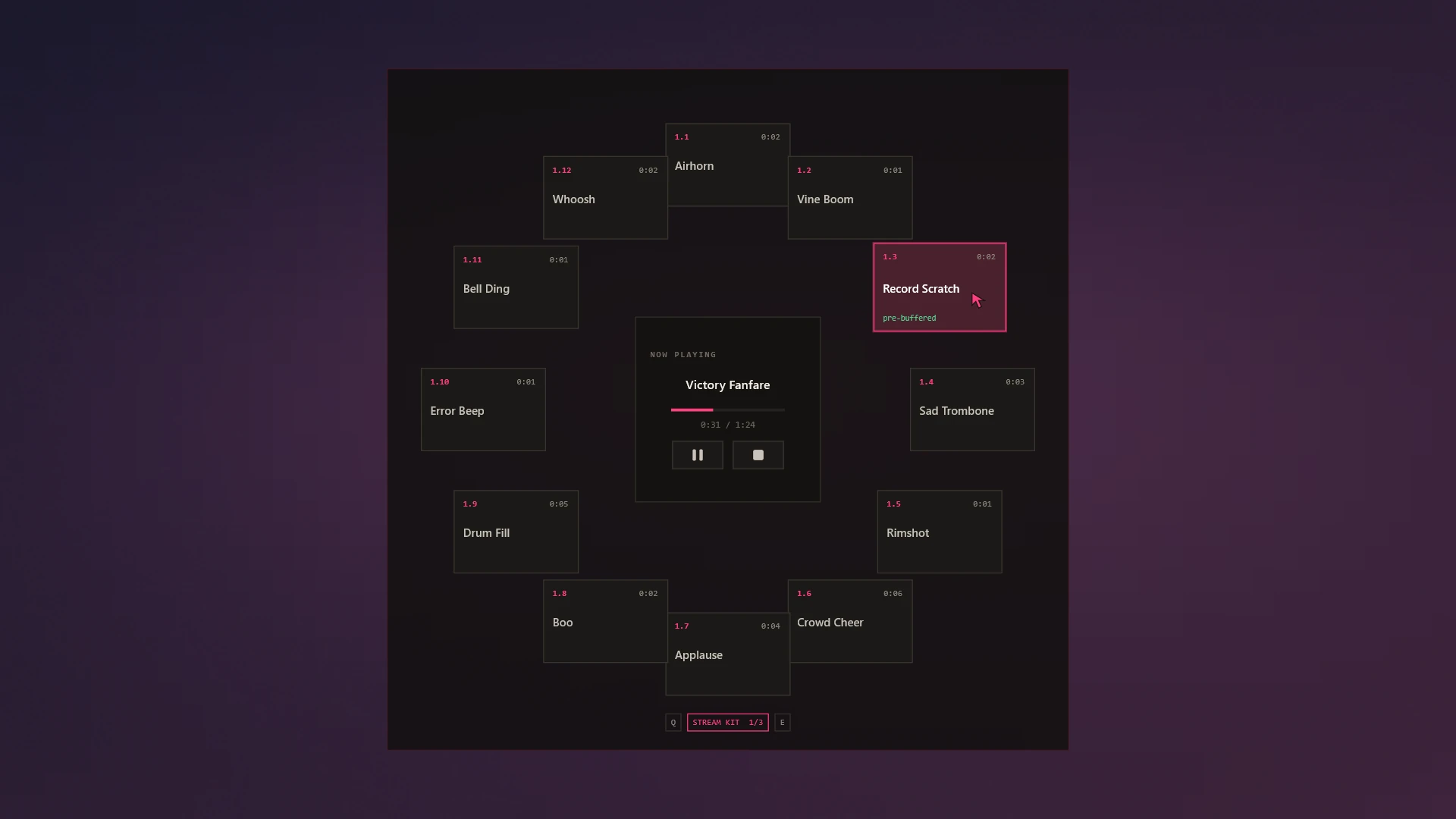
The wheel open: twelve sounds in a ring, one picked under the cursor, and what is playing in the middle
The overlay

One button, all your sounds.

Hold the button and the wheel opens over your game. Let go on a sound and it plays. Press Q or E to switch pages while you are still holding.

Middle mouse hold QE page
WHEEL4 to 16 sounds on a wheel. Let go on the one you want.
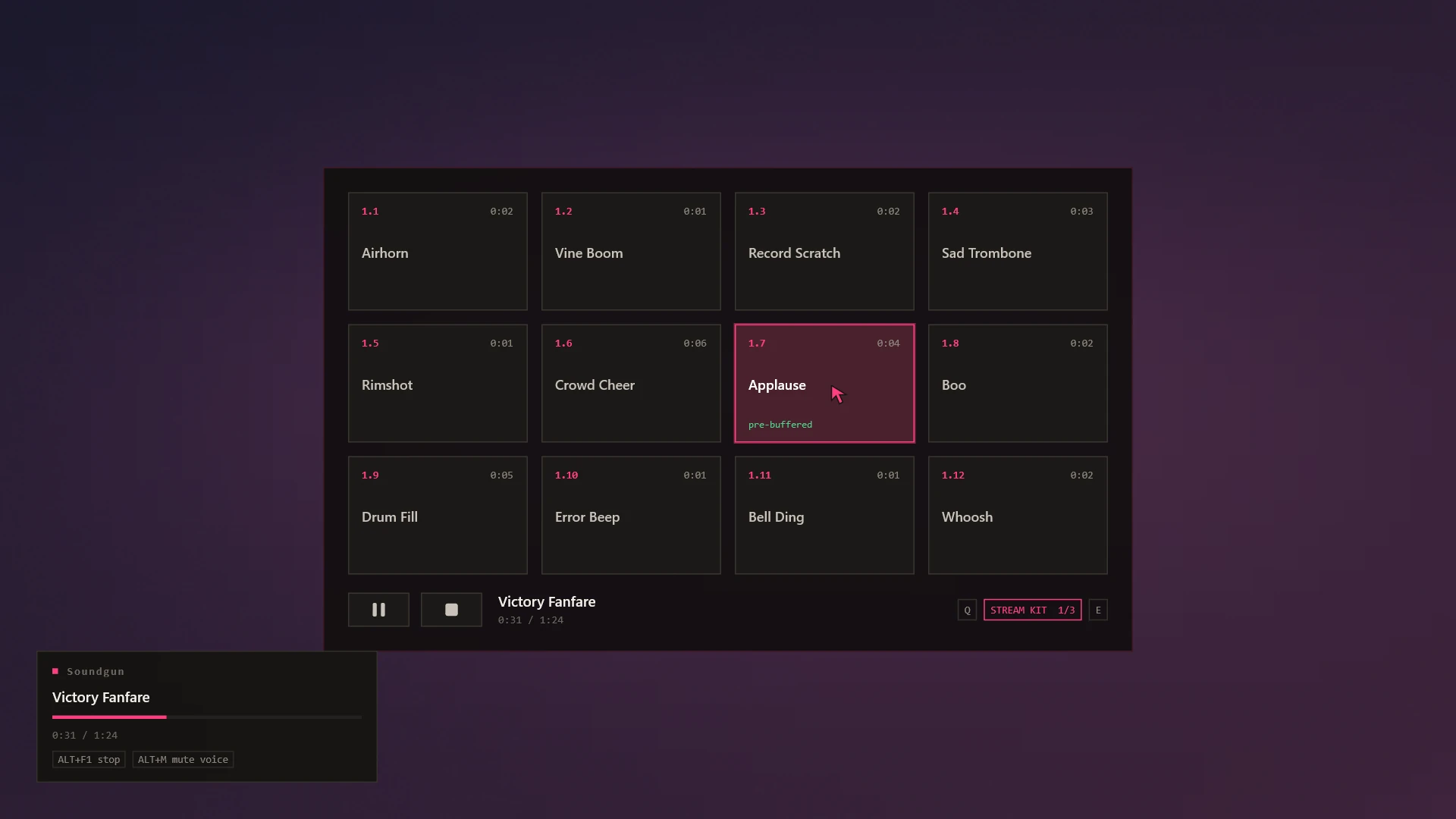
GRIDUp to 24 sounds you click. Use this if middle mouse is taken.
HUD CARDA small card showing what is playing. Pick which corner it sits in.
Bangers 1 of 3
Slow clap 0:02 / 0:06
Connect to phone

Play your phone into your mic.

Whatever your phone plays goes into your mic, over Bluetooth. Spotify, YouTube, a voice note — everyone in the call hears it, and you can still talk over it.

  1. Pair your phone with your PC in Windows Bluetooth settings. You only do this once.
  2. Press Connect in Soundgun.
  3. Press play on your phone.
NO APPNothing to install on your phone. It sees your PC as a Bluetooth speaker.
PRIVATESoundgun only gets the sound. It never sees your contacts, messages or files, and nothing is recorded.
NEEDSBluetooth on your PC, built in or a USB adapter.
Features

What you get.

LIBRARYwatched folders
Drop files anywhere in the window to add them. Or pick a folder and Soundgun watches it for new ones.
MP3, WAV, FLAC, OGG, Opus, M4A, WMA and more.
TRIM & FADESper sound
Drag the handles to cut the quiet bits off each end. Add a fade in or out, or loop the sound until you stop it.
Every sound is set to the same volume when you add it.
PAGESQ / E
Make as many pages as you need. Q and E switch between them. Each page can have its own colour.
Sounds stay where you put them when you move pages around.
YOUR VOICEmix · duck · block
Choose what your voice does while a sound plays: keep talking, go quieter, or go silent.
Your voice changes the moment the sound starts. No delay.
HOTKEYSglobal
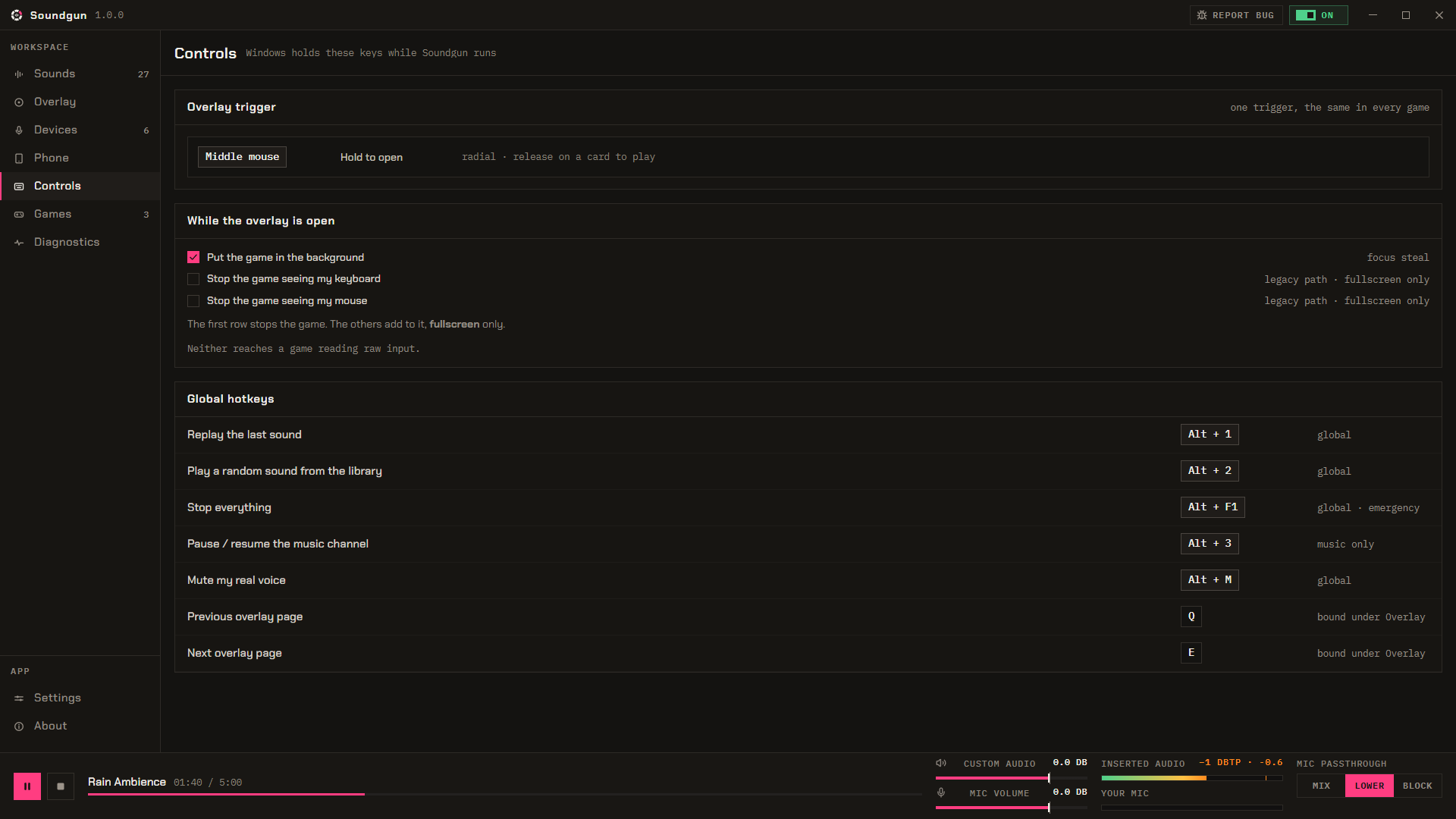
Give any sound its own key, mouse button or controller button. Stop everything and the wheel can have one too.
Stop everything fades all the sounds out instead of cutting them off.
PER-GAMEautokeys
Some games need push-to-talk held down. Soundgun can hold it for you, and only in that game.
A few games ignore keys they were not really pressed. Soundgun tells you which ones. A real key always works.
Before you buy

System requirements

Operating system
Windows 11
64-bit only, not ARM.
Audio
Any mic Windows can see
A plug-in mic, headset or webcam mic. Bluetooth headsets can be hit and miss.
Install
One permission prompt
You say yes once, when you install. Uninstalling undoes it.
Steam Deck
Unsupported
Windows only.
FAQ

Common questions.

Yes. Soundgun passes your mic through instead of replacing it. You choose whether your voice keeps going, gets quieter, or stops while a sound plays.

No. Soundgun works through the mic you already picked, so Discord, your game and OBS can stay as they are.

Usually yes, and always in borderless or windowed mode. Some games and anti-cheats block overlays, so it may not show up there. Your hotkeys still work.

Your mic keeps working. Soundgun leaves your normal mic setup alone, so if the app stops you just lose the sounds. This can vary with your drivers.

No. Soundgun leaves that software alone, and uninstalling puts back any setting it changed.

No account, no sign-in, no tracking. Soundgun runs on your PC and your sounds stay there.

Still stuck Question not here?
Need help

Price and availability

Available now
9.99 US dollars once.
Steam's refund window applies. If it does not work with your setup, you will know within the hour.
PLATFORMWindows
PRICE$9.99 · one purchase
CATEGORYSoftware · Utilities
NETWORKNone
Contact us

Get in touch.